Amplitude Events
Overview
Telio can connect and sync pages and databases from Amplitude, allowing you to share context and build AI agents that investigate and resolve customer issues.
Steps to Connect
Step 1: Create Amplitude API Key
- In the upper right navigation, navigate to Organization settings → Your project → API Keys and click Generate API Key.
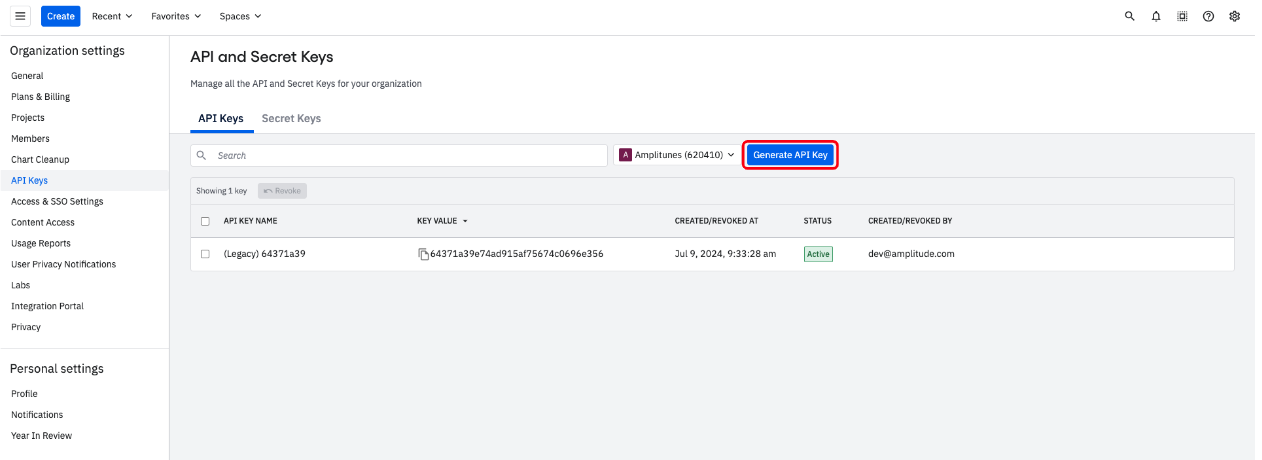
- Navigate to Secret Keys and click Generate Secret Key.
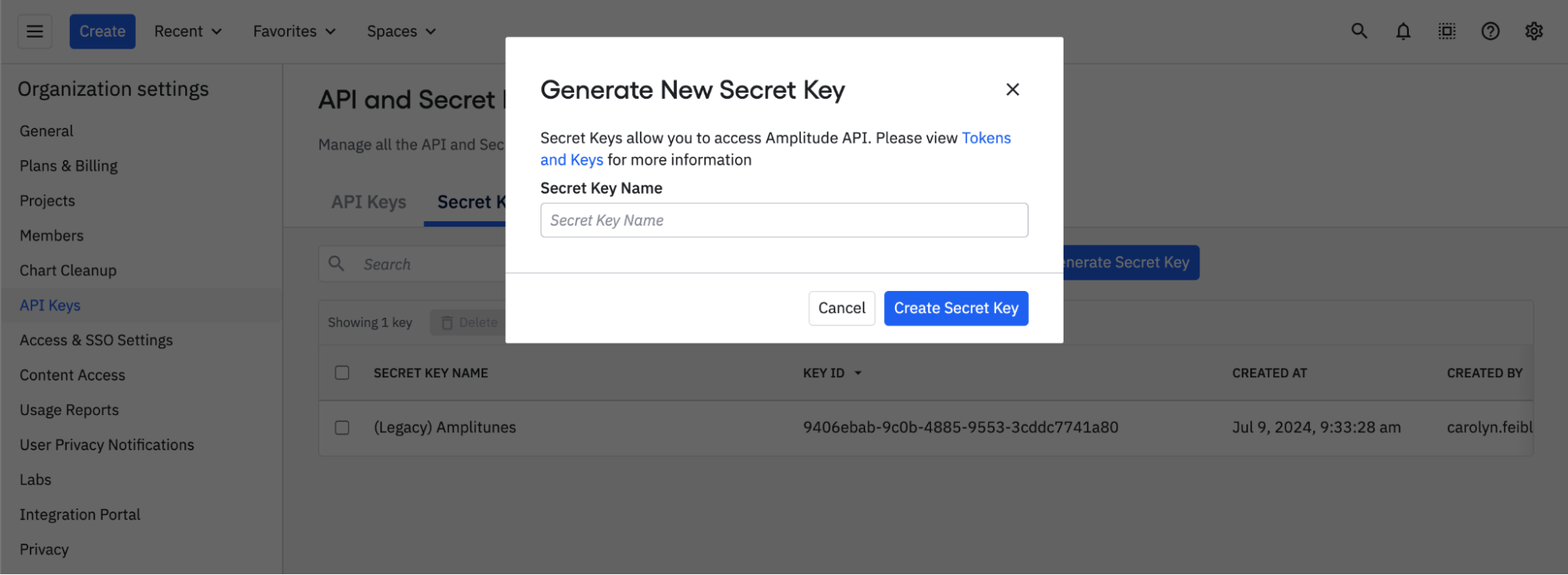
- Type Telio as the name for the secret key and click Create Secret Key.
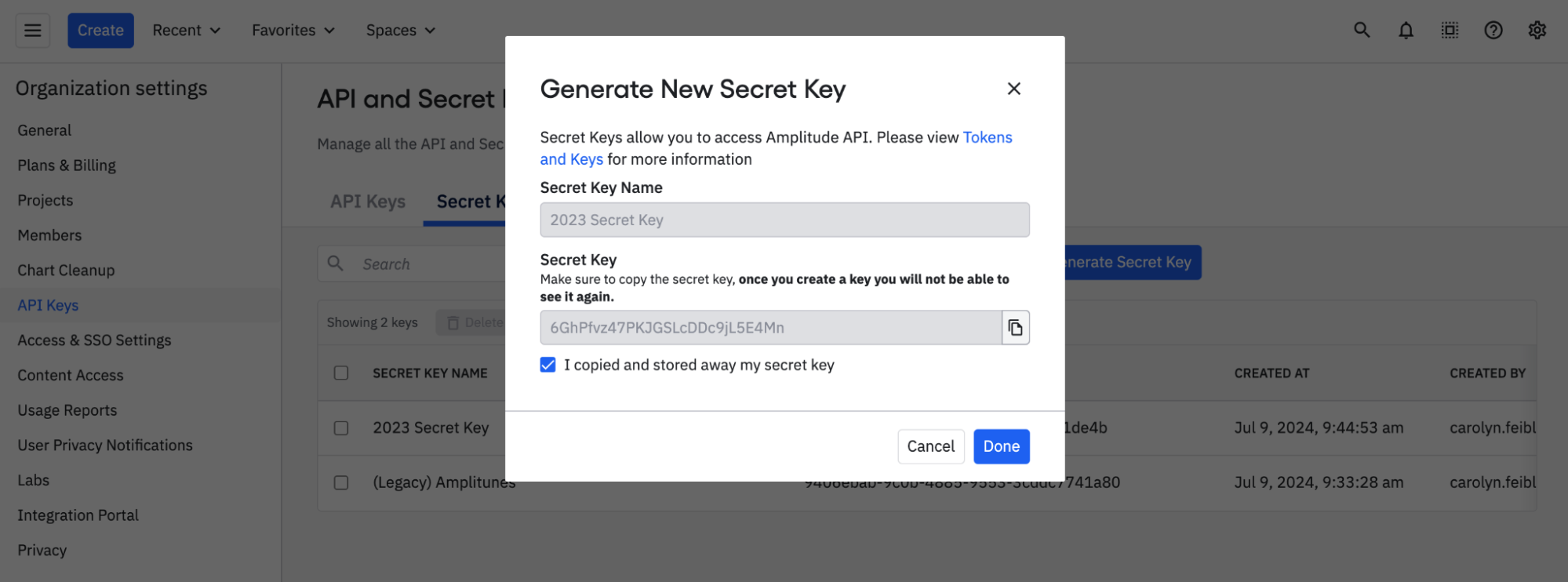
- Copy and save the generated Secret Key to use in the next step.
Step 2: Enter Connection Details into Telio
Simply paste the generated API and Secret Keys into the Amplitude connection setup form on Telio.