Front Emails
Overview
Telio can connect and sync emails and comments from Front, allowing you to build AI agents that investigate and resolve customer issues.
Steps to Connect
Step 1: Create Front API Token
- Navigate to Company Settings → Developers → API tokens.
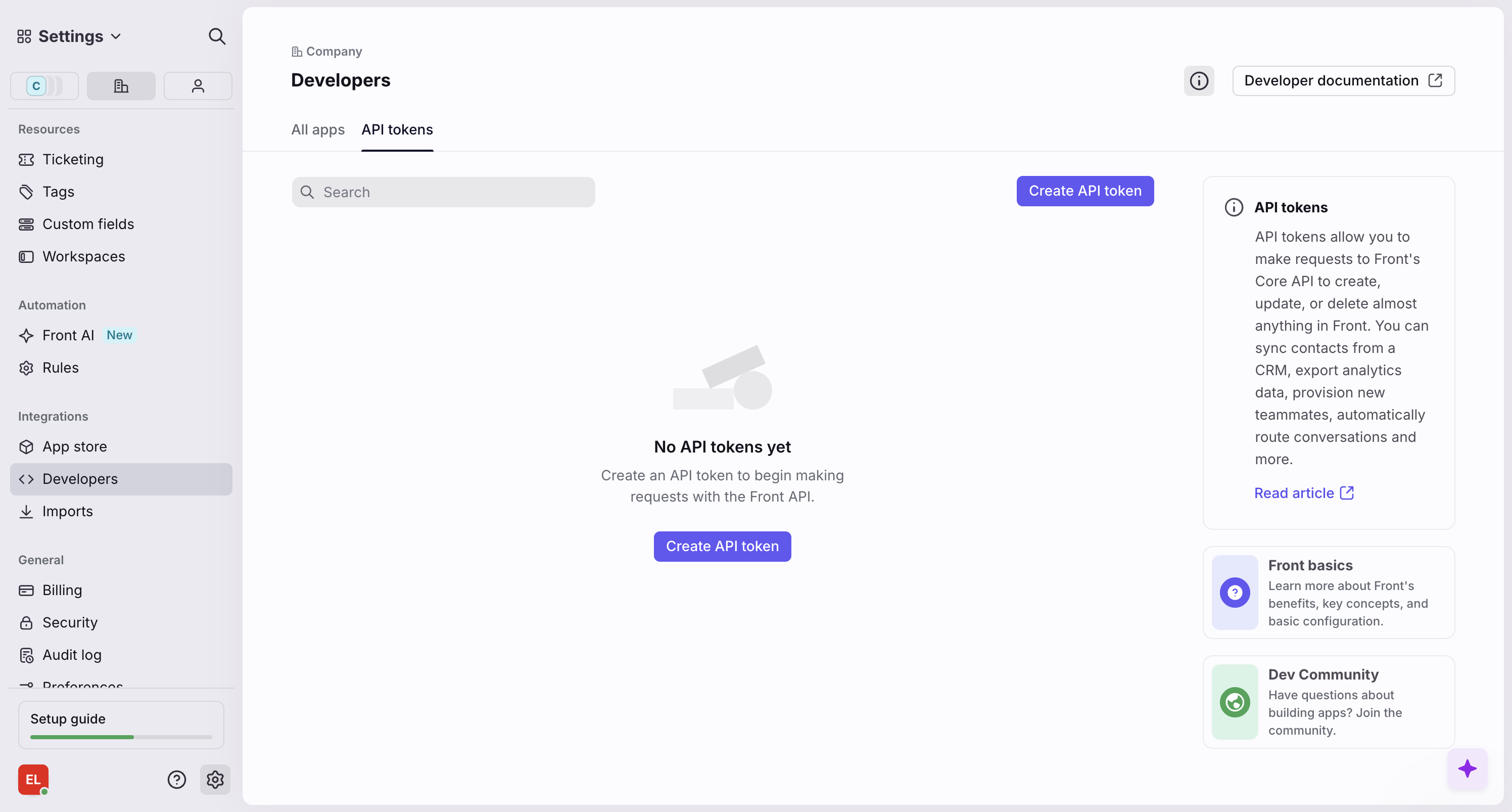
- Click Create API token.
- Enter Telio as the name for the token and select Workspace: [YOUR_WORKSPACE] Resources as the scope.
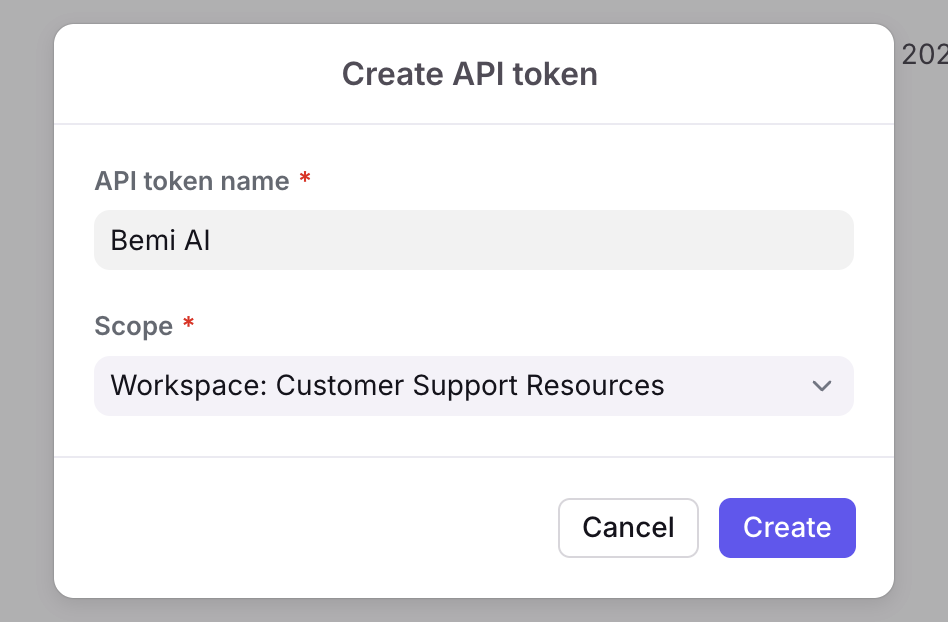
- Click Create.
Step 2: Enter Connection Details into Telio
Simply paste the generated API token into the Front connection setup form on Telio.
Telio in Front Sidebar
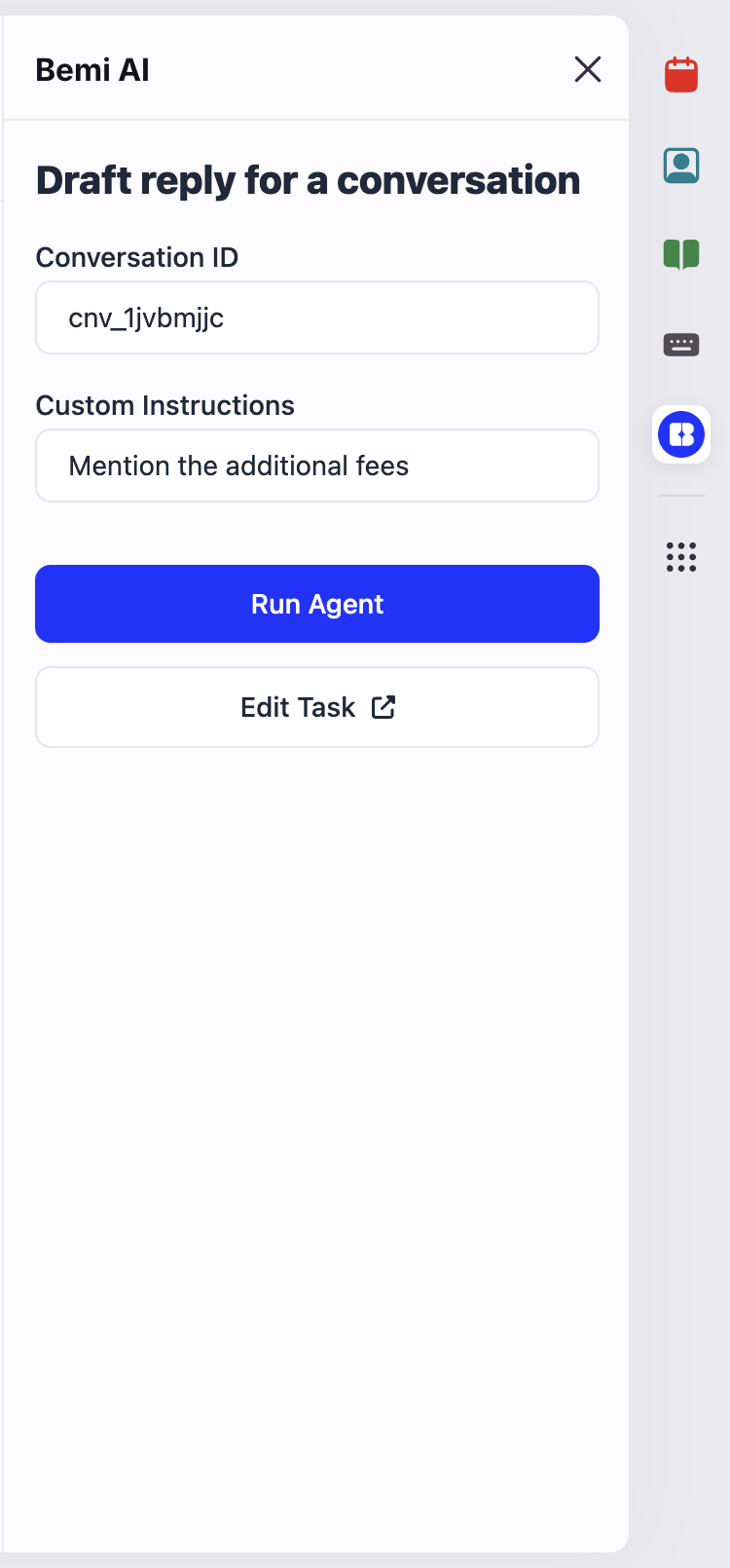
You can enable the Telio sidebar in Front to interact with your AI agents directly within the Front interface.
Step 1: Create a Front App
- Go to Company Settings → Developers → All apps.
- Click on Create app.
- Click on Add feature

- Select Sidebar plugin under UI Extensions.
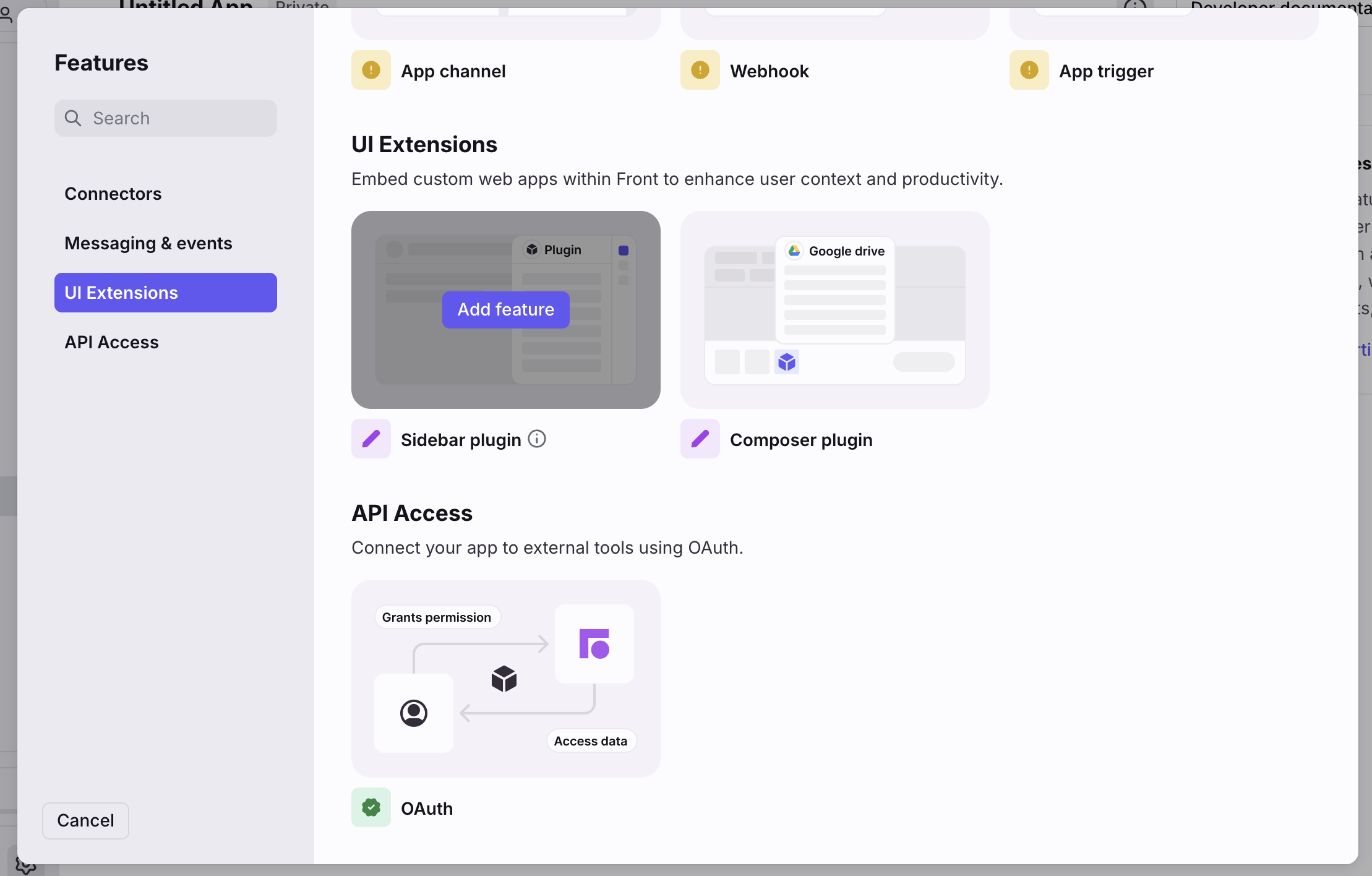
- Add the following URL as the Side panel URL and click Create.
https://dashboard.gettelio.com/a/agent-task/[TASK_ID]?token=[TASK_TOKEN]
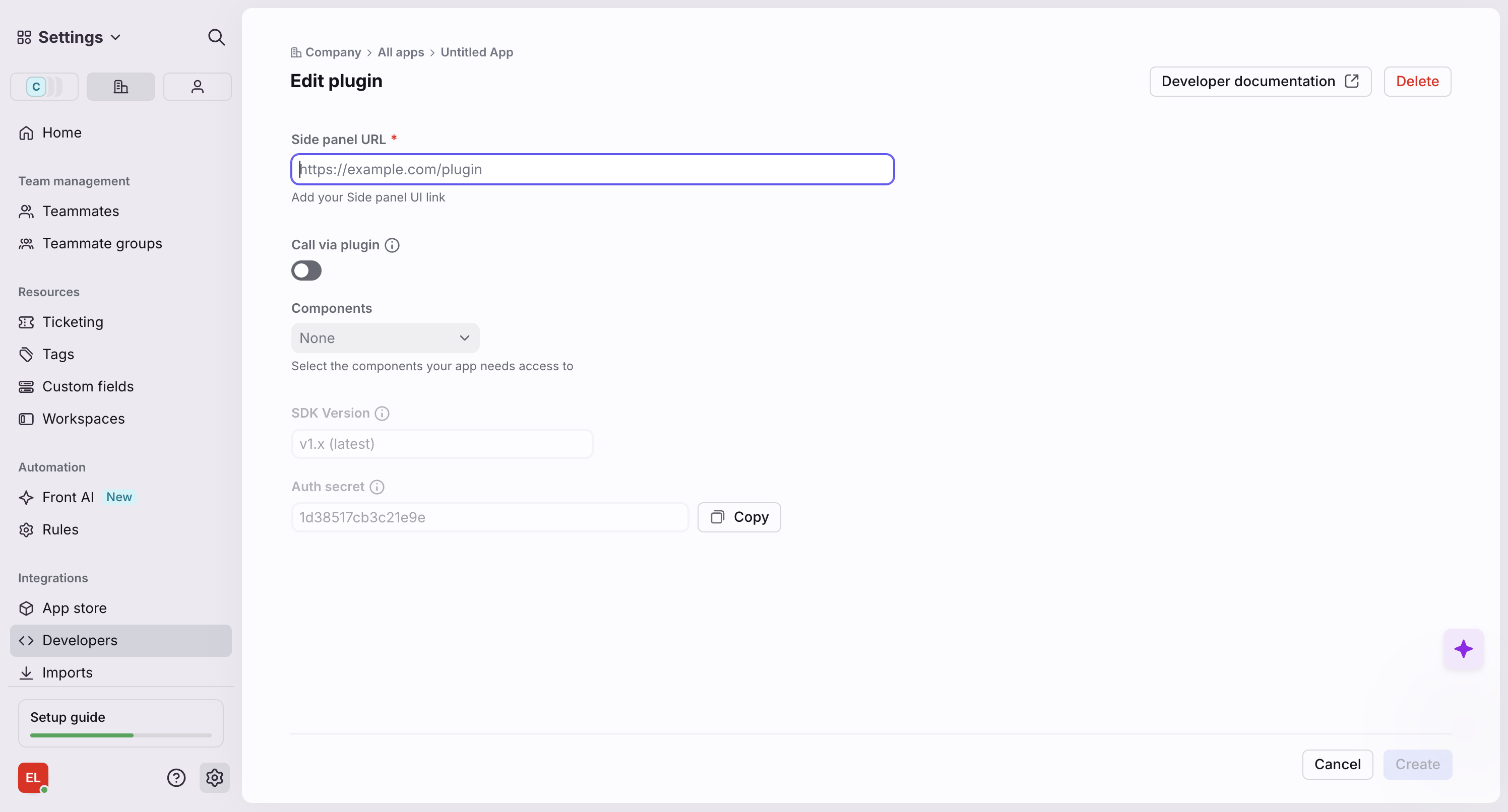
Step 2: Configure the App
- Go to the app Settings, rename the app to Telio and upload the Telio logo:
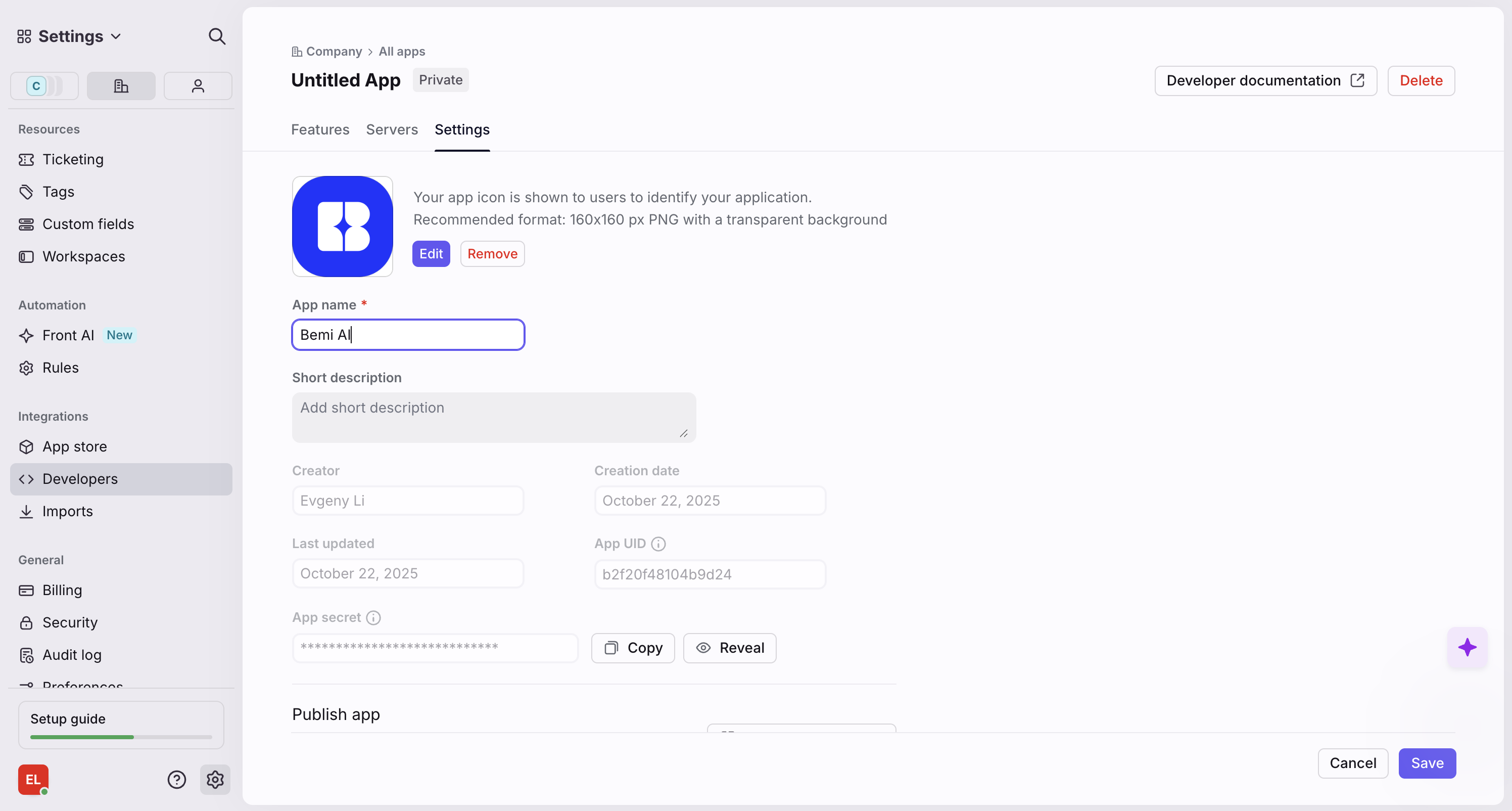

- Click Save.