Notion Pages
Overview
Telio can connect and sync pages and databases from Notion, allowing you to share context and build AI agents that investigate and resolve customer issues.
Steps to Connect
Step 1: Create Notion Integration
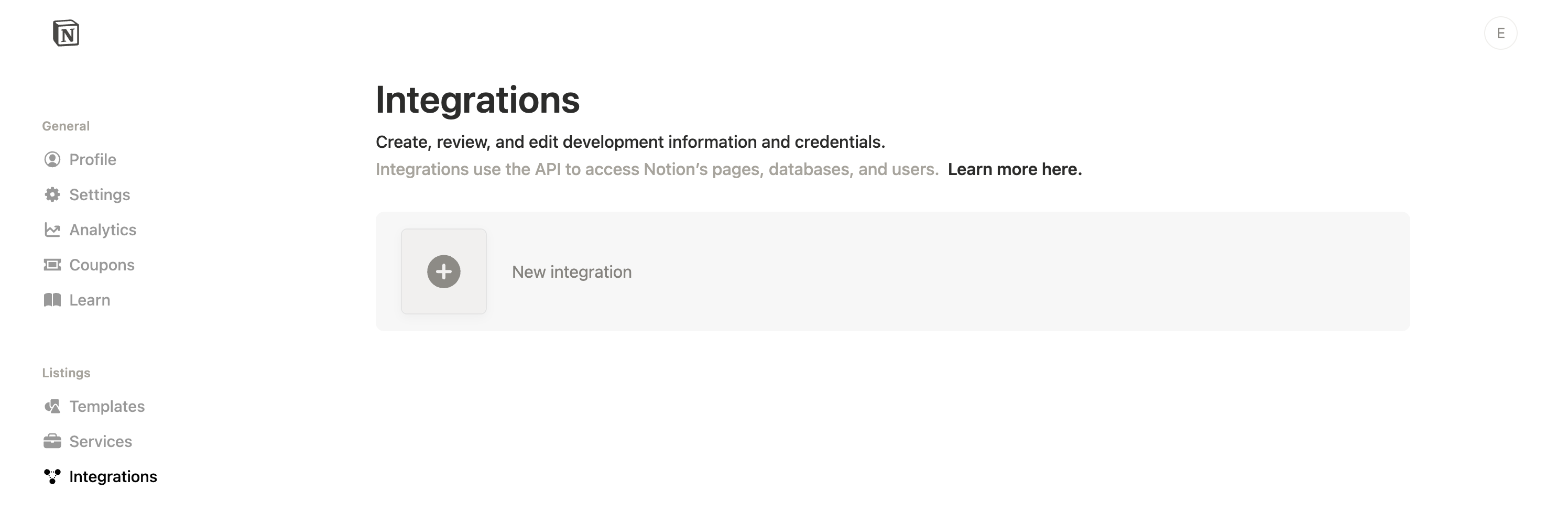
- Navigate to Integrations and click New integration.
- Enter Telio as the integration name, choose your workspace, select Internal type, and upload the Telio logo:
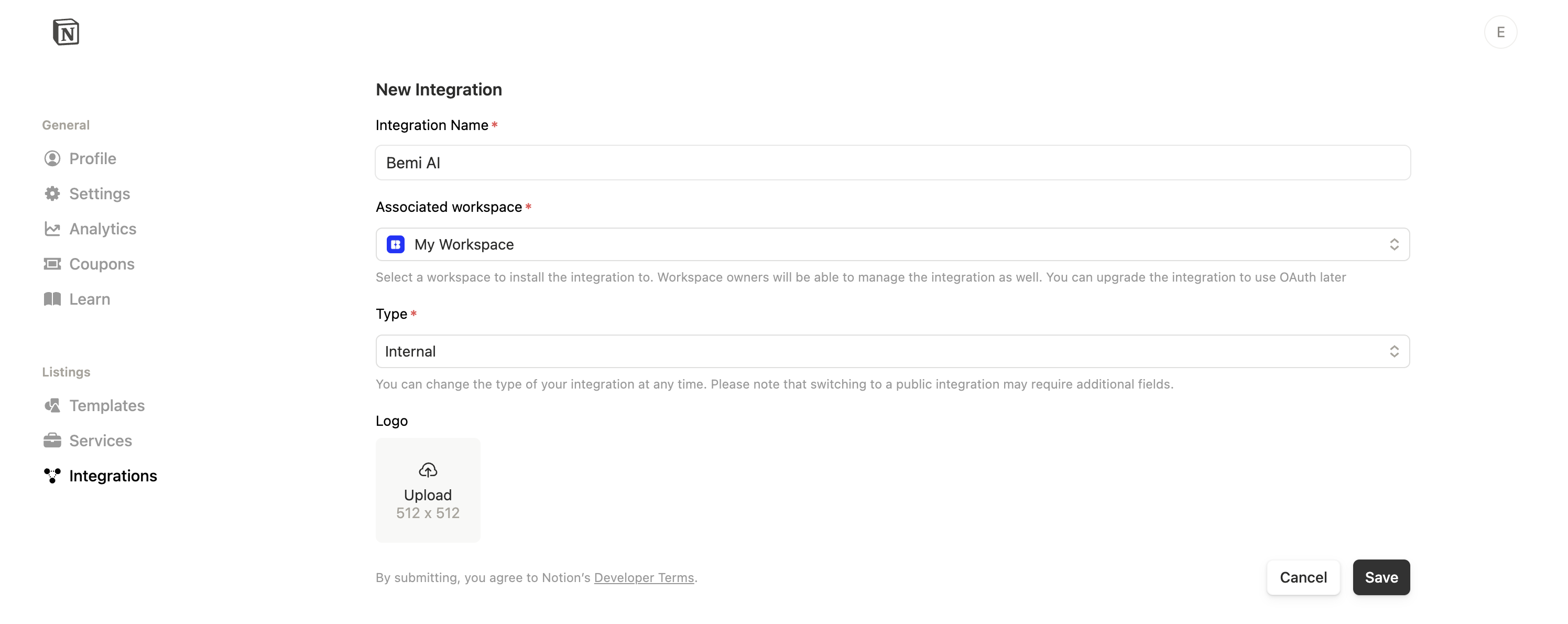

- Click Save.
- Enable Read content under Content Capabilities
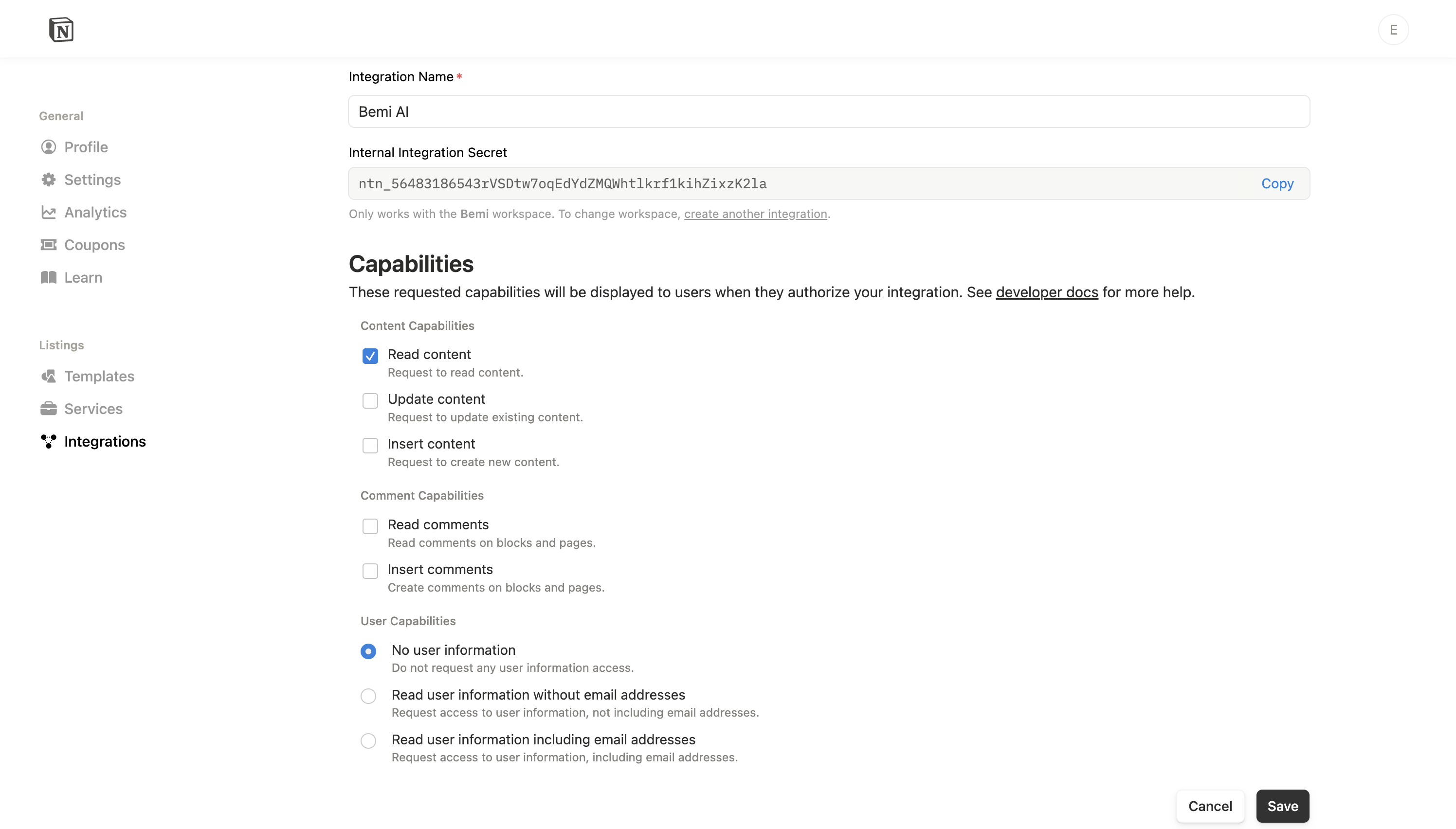
- Click Save.
- Copy the Internal Integration Secret to use in the next step.
Step 2: Enter Connection Details into Telio
Simply paste the generated Integration (API) Secret into the Notion connection setup form on Telio.
Step 3: Share Pages with Integration
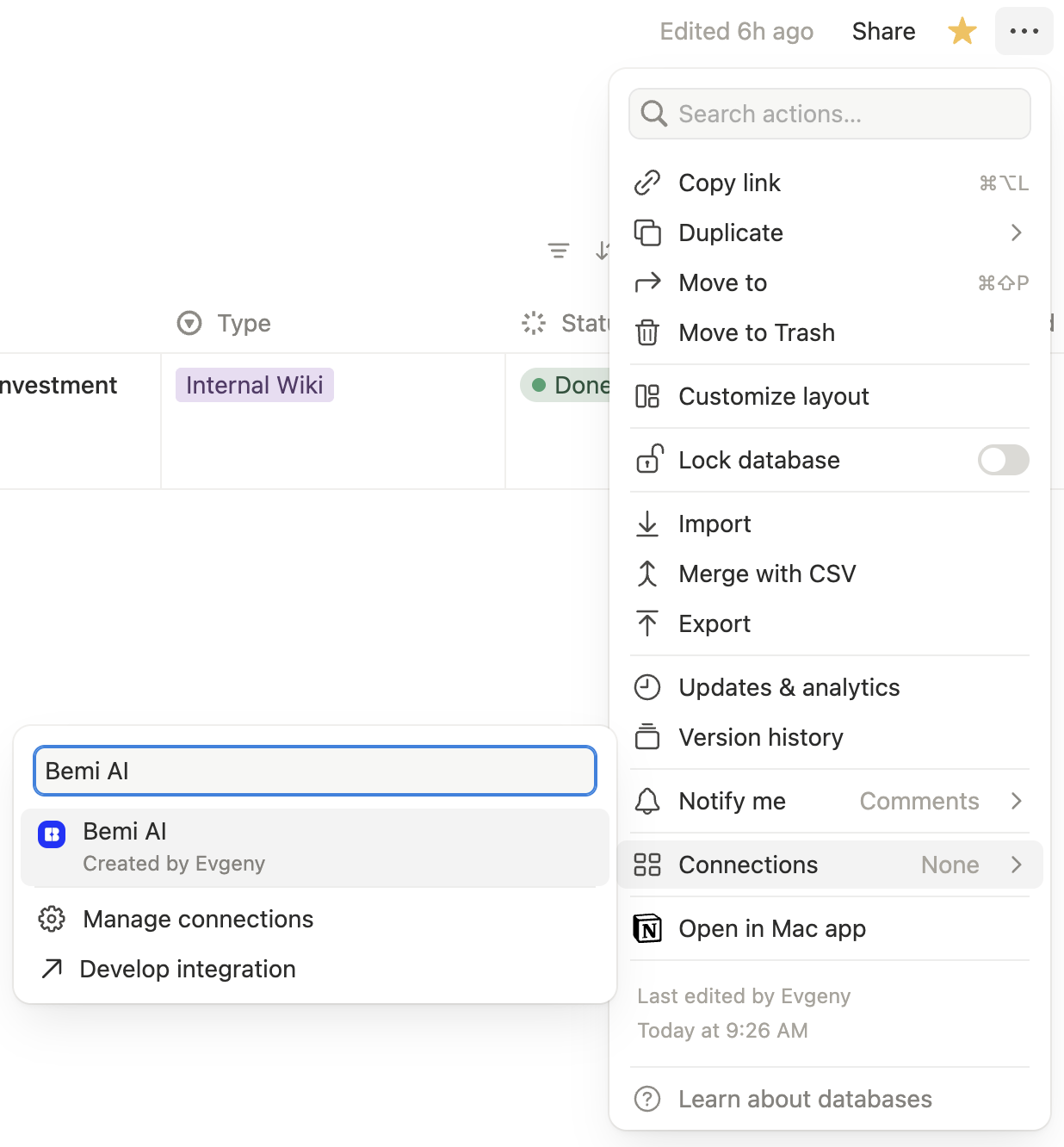
- Open the Notion page or database you want to share with Telio.
- Click the three dots in the top-right corner to open the menu.
- Select Connections and then choose the Telio integration you created earlier.